PHP Hosting
Run whichever PHP release the project actually calls for
Any current PHP version, set per name in a single click — with Composer, SSH and the extensions your codebase expects, all on quick NVMe servers.
$2.42
Opening price, billed yearly
PHP 8.4
Available right now
1-click
To change versions
Composer
Already on the PATH

Version Freedom
Several PHP releases, one account
Projects seldom agree about a runtime. Rather than pinning the whole account to one release, you set it name by name, and the panel lets you change your mind whenever you fancy.
Run the upgrade against a staging name first, satisfy yourself that everything holds, then bring production over. If a release misbehaves, one click puts it back.
- Everything current, up to PHP 8.4
- Each name picks its own release
- Immediate switches, immediate reversals
- Legacy 7.x builds still on offer
The Platform
Arranged around the way PHP projects genuinely run

Run every release you still depend on
One account can hold a legacy 7.x job beside a PHP 8.4 build, with each name served by the exact runtime its code was written against.
A version change is one click
You choose the release name by name, using the PHP selector in the panel. Try the newer build. If anything creaks, rolling back takes seconds.
Composer is ready to run
From your very first session it is installed and answering over SSH, which means pulling packages down and wiring up autoloading needs no preparation whatsoever.
Extensions ready when you want them
GD, mbstring, cURL, intl, OPcache, PDO, Imagick and a long list besides are yours to switch on or tune yourself. No ticket. No queue.
Speed that survives the rush
NVMe drives, OPcache and LiteSpeed-grade caching all pull in the same direction, so pages keep landing quickly as visitor numbers climb.
Your resources, ring-fenced
CloudLinux fences your share of CPU and memory off, so a runaway script on the site next door never drags your pages down.
Pricing
PHP plan pricing, plainly
Every tier carries the version selector, Composer and SSH — all that is left to choose is resources and site count.
Sprint
One site, live within minutes, sitting on the lowest tier we run
$2.42/mo
$29.04 today · billed annually
the price never jumps at renewal
- SSD storage
- 10 GB
- Websites
- 1
- Bandwidth
- 500 GB
- CPU / RAM
- 1 core / 2 GB
- Databases
- 25 MySQL
- Year one of your domain name is charged at nothing
- SSL at no charge, reissued before it ever expires
- We take the site off your previous host and land it here, no charge
- Describe the site to the AI builder in the panel, then publish
- WordPress Toolkit comes with it, plus a fresh backup every day
- Real SSH access, and Git and Composer are preinstalled
- Softaculous installs 240+ apps in one click
- ImunifyAV+ sweeps every site for malware
- NVMe SSD storage behind a LiteSpeed cache
- Mailboxes on your own domain, included
- MailChannels gets your outbound mail delivered
- cPanel at its current release, staffed support 24/7
- Your account goes live minutes after checkout
The order gets finalised over at Hosting Cheap, the shared billing system that sits behind all of our brands.
Turbo
Twenty-five sites on a single account, none of them throttled
$4.66/mo
$55.92 today · billed annually
the price never jumps at renewal
- SSD storage
- 20 GB
- Websites
- 25
- Bandwidth
- 1 TB
- CPU / RAM
- 1 core / 2 GB
- Databases
- 50 MySQL
- Nothing to pay for the domain name in its first year
- A free certificate that reissues itself well before expiry
- Your site comes off the old host and settles onto ours, at no cost
- Tell the AI builder in the panel what you want, then hit publish
- WordPress Toolkit is bundled, with a daily backup alongside it
- Genuine SSH, plus Git and Composer set up in advance
- Softaculous installs 240+ apps in one click
- ImunifyAV+ sweeps every site for malware
- NVMe SSD storage behind a LiteSpeed cache
- Mailboxes on your own domain, included
- MailChannels gets your outbound mail delivered
- cPanel on its newest build, with people answering 24/7
- Your account goes live minutes after checkout
The order gets finalised over at Hosting Cheap, the shared billing system that sits behind all of our brands.
Nitro
200 GB of NVMe, and enough processing power to use every bit
$7.08/mo
$84.96 today · billed annually
the price never jumps at renewal
- SSD storage
- 200 GB
- Websites
- 100
- Bandwidth
- 2 TB
- CPU / RAM
- 2 cores / 4 GB
- Databases
- 100 MySQL
- The domain name's first year carries no charge at all
- WordPress Toolkit Deluxe comes in without an extra fee
- Backups run every 6 hours, and Imunify360 stands out in front
- CloudLinux Pro brings PHP X-Ray, which points at the slow code
- Push code in Node.js, Python or Ruby, each one already wired up
- Priority tickets answered whatever the clock says
- A certificate at no cost, renewing itself ahead of expiry
- Our engineers move the site over from your old host, and charge nothing
- An AI builder is thrown in: state what you want, then publish
- NVMe SSD storage behind a LiteSpeed cache
- A full command line, with SSH, Git and Composer on board
- Softaculous installs 240+ apps in one click
- Your account goes live minutes after checkout
The order gets finalised over at Hosting Cheap, the shared billing system that sits behind all of our brands.

Ready To Work
Shell, Composer and the extensions, ready before you arrive
Whatever you'd reach for on a daily basis is in place before your first login. Fetch dependencies through Composer, switch on the extensions your framework names, and adjust PHP settings yourself. None of it needs a ticket raising.
Deploys, migrations and background jobs behave here as they do at home, because you get SSH, a complete command line and cron scheduling to work with.
- Composer live over SSH at once
- GD, Imagick, mbstring, intl, cURL and more
- OPcache and PDO switched on
- memory_limit and the upload caps, yours to set
Under Load
PHP that holds up as traffic climbs
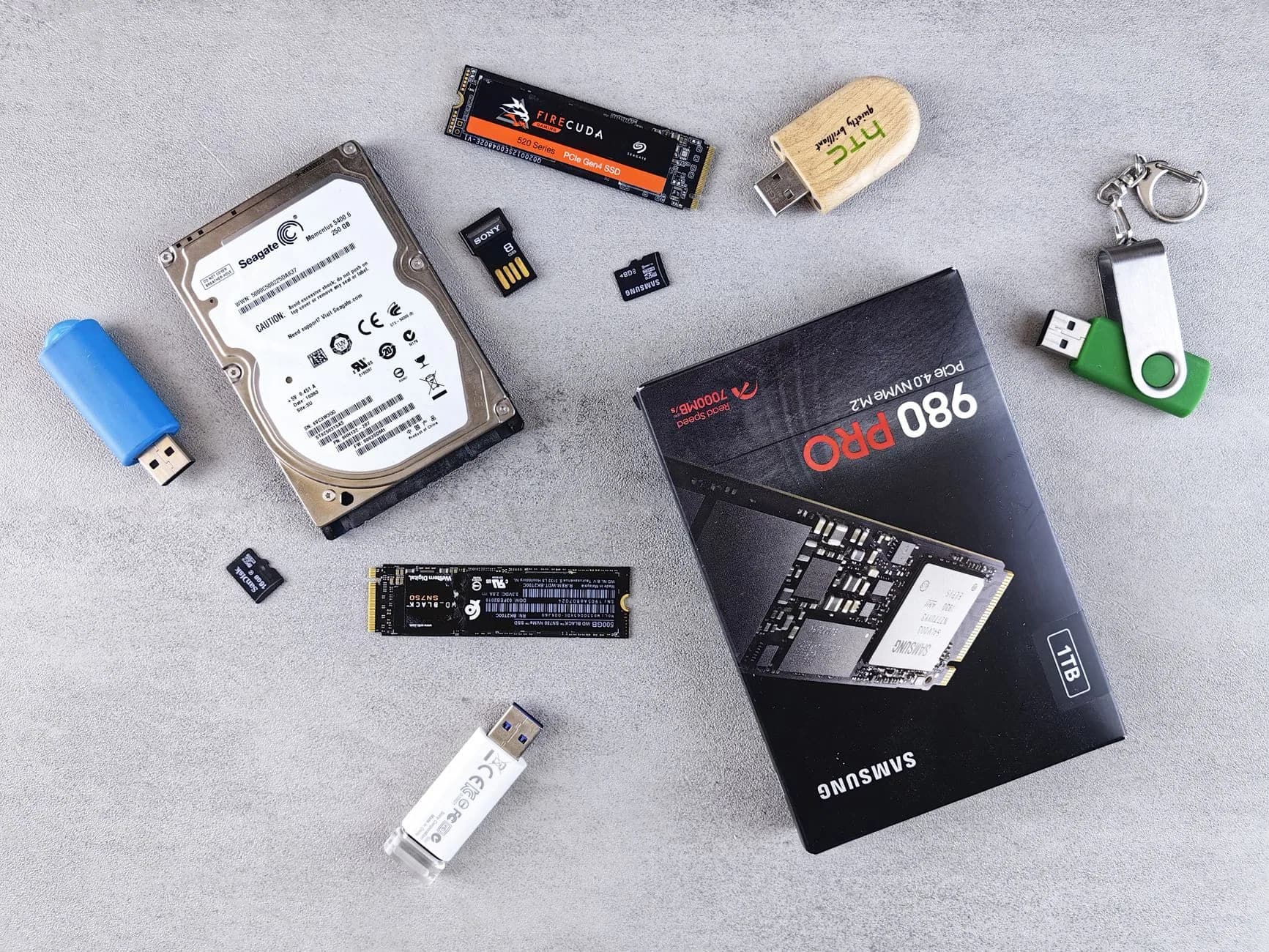
Speed here is a matter of layers, not one lever. NVMe drives cut the wait on a disk read, OPcache keeps compiled scripts sitting in memory, and server-side caching trims the steps between a request arriving and a page being rendered.
Each account is fenced off by CloudLinux, which means the CPU and memory on your plan belong to you and nobody else. Full speed through the midnight rush, and through the quiet dawn as well.
- NVMe SSDs beneath it
- Bytecode and object caching
- Server-level full-page caching
- Resource isolation through CloudLinux
Tune It Yourself
The PHP values you set yourself
Every setting that catches demanding software out is editable per site in the panel — nothing to request, nobody to wait for.

memory_limit
Lift it where a data-hungry dashboard, the Magento admin, or a large report-and-PDF run would otherwise die halfway through.
max_execution_time
Give long tasks room to breathe, whether that is bulk imports, image processing or a heavy database migration, so nothing gets killed before the finish.
upload_max_filesize & post_max_size
Raise the pair together and large media files, archives and CSV feeds get through rather than failing quietly against the limit.
OPcache
Hold compiled bytecode in memory, then size the cache and set the timestamp checks so a live site never compiles one script twice.
realpath cache
Grow it where a framework application pulls in thousands of files, letting PHP resolve those paths out of memory instead of touching disk again.
max_input_vars
Raise it for admin pages and forms that post hundreds of fields, so not one submitted value vanishes on the way in.
Runs Well Here
What this stack was actually built to carry

Framework builds
The CLI, cron and Composer support Laravel, Symfony, CodeIgniter and Slim expect is here.
Content sites and shops
WordPress, Drupal, Joomla and Magento each receive the PHP release and the memory headroom their documentation asks for.
Custom and legacy code
Hand-rolled PHP, ageing projects and private APIs hold on to the precise runtime and extensions they were built against.
Quick Start
Order placed, real traffic arriving, minutes apart

- 1
Order a plan
Pick your tier, connect a name to it. The full PHP version selector arrives with every level, and not only the biggest.
- 2
Choose the runtime
Head into the panel, set that name's PHP version, and switch on whichever extensions your software happens to call for.
- 3
Put the code live
Open SSH, run composer install, add your cron entries, push the code up. At that point the stack is answering requests.
Included
What each plan carries
- A range of PHP releases to hand
- One-click version changes per name
- Composer set up before you arrive
- SSH and Git on every plan
- Object and bytecode caching
- The common PHP extensions, self-serve
- memory_limit and upload caps of your own
- A genuine CLI, with cron scheduling
- Room for as many as 100 MySQL databases
- Free SSL that reissues by itself

Room To Grow
Step up the moment traffic asks for it
Begin small, then climb once the metrics argue for it. Moving to a larger tier raises the limits without a reinstall, and the PHP release, the extensions, the databases and the files all travel with you untouched.
- Change plan in a couple of clicks
- MySQL databases, up to 100
- Larger limits the day they are needed
- The code and the data never move
Good To Know
PHP hosting, taken one question at a time
Which PHP versions are available?
Every current PHP 8.x build is here, PHP 8.4 included, and the choice is made per name rather than once for the whole account. Older 7.x builds stay available as well, so a long-serving legacy site and last week's new project sit side by side without any friction. Deciding site by site counts for more than it sounds. Newer content platforms and framework releases usually expect PHP 8.2 or later, while an old plugin or a script written years ago may only ever have been proven on an earlier build. A switch takes effect at once and reverses just as quickly, so nobody is force-marched anywhere. Move each site the day it is ready and not a day sooner. As new PHP versions reach official support we add them, which keeps a clear runway onto a maintained release well before your current one stops getting fixes.
What does changing PHP version involve?
One click, and that is not a figure of speech. Open the PHP selector in the control panel, pick the release for that name, and it applies immediately, with no ticket and no maintenance window. Since the setting lives per name, an upgrade can be rehearsed properly: aim a staging copy at the newer release, put the application through its paces, and move production only once it behaves. Should a release bite you, whether through a removed function or a plugin whose developer has not caught up, the way back is equally immediate, so no version can hold you hostage. The same screen also carries the extensions and core settings for whichever release you chose, which means switching on the modules an application needs happens in the same sitting. Staying current with PHP here costs two minutes, not an afternoon.
Is Composer on every plan?
Yes. Every plan carries it, reachable the moment you open SSH, so working with dependencies feels no different from working on your own laptop. Sign in and the whole set answers against whatever PHP release that name runs: composer install, composer update, composer require, composer dump-autoload. That matters a great deal in modern PHP, where Laravel, Symfony and a vast number of standalone libraries are distributed through Composer rather than as a zip you download and unpack by hand. Control sits with composer.json and composer.lock in your repository, which is how the versions you verified locally end up serving live traffic. Everything past Composer has a real command line waiting: a framework's own CLI, migrations, cache clears, a scripted deployment. Cron is part of the package, so any job you would otherwise start by hand can run to a schedule without asking us first.
Can I switch PHP extensions on myself?
Yes. It is done from the panel, and no permission is needed. Every module a project normally reaches for is present: GD and Imagick for pictures, mbstring and intl for multibyte and localised text, cURL for outbound calls, PDO with the MySQL drivers for the database, plus OPcache, zip, bcmath and a long tail behind them. The set follows whichever PHP release you picked for that name, so one site gets equipped exactly without anything else on the account being disturbed. That same screen exposes the php.ini values which catch busy software out, memory_limit and max_execution_time and the upload caps among them, so meeting a platform's requirements comes down to matching the numbers printed in its documentation. Most extensions activate the second you switch them on. Depending on something more unusual? Support will confirm it is available and help you enable it, so no guesswork is involved.
Will my current CMS or framework run?
Very likely. What lands here is standard PHP software meeting a fully equipped, standard PHP stack, which is why the frameworks all behave: Laravel, Symfony, CodeIgniter, Slim. The big content and commerce platforms behave too, WordPress and Drupal and Joomla and Magento among them. A clean install usually comes down to reading the requirements page and matching it. Pick the PHP release the software supports. Switch on the extensions it lists. Lift memory_limit or the upload cap where the documentation says to. After that, deploy in whatever style suits: the one-click installer for the household names, Git and Composer for framework builds and code of your own. Scheduled work is covered by a genuine command line and cron, from queue workers to the nightly tidy-up. Uncertain about one particular application? Ask. We have probably deployed it and can tell you plainly.
What actually makes these plans quick?
No single magic switch. Several layers, all working together. NVMe SSD storage removes disk latency from every file read and database query, so a page assembles quickly. OPcache holds compiled bytecode in memory, which stops the machine recompiling your scripts on each request and shows up most clearly on framework-heavy applications. Server-level caching shortens the route to a rendered page for anyone returning, while object caching stops the database being asked the same question again and again. Beneath the lot, CloudLinux hands each account a guaranteed slice of CPU and memory, so a neighbour having a bad day cannot leak into your load times. The application keeps its pace through the peak hour and the quiet ones. Whatever response time is left after that comes back from tuning OPcache, the realpath cache and the PHP release to suit the workload.
More hosting to explore
The whole application library
Anything the panel puts up in one click, store software and forums and content platforms alike.
Web Hosting
Everyday cPanel hosting, sharing the NVMe platform that carries these plans.
Laravel Hosting
Redis, deploys through Git, Composer and Artisan, arranged how Laravel prefers.
Business Hosting
More CPU and more RAM, for heavy PHP software and busier sites.
Cloud VPS
Root access and resources reserved for you, once shared hosting has run out of road.
Take your PHP project live today.
Take a plan, choose the release, deploy with Composer over SSH — and talk to a real person if anything catches.
Compare PHP PlansMost of the web still speaks PHP, and most PHP trouble comes back to a wrong version or a missing extension. Here both are a dropdown away. Every account runs on NVMe storage with LiteSpeed in front, in our London datacentre, watched by the same engineers who answer your tickets.
Built for developers working in the web's workhorse language. A free certificate, a free transfer from your current host, nightly backups and support at any hour are all inside the price, with nothing added at checkout.
Pick your PHP per site, 5.6 through 8.4
Change the version per site in the panel, switch on the extensions an application needs, and set the memory limits and execution times yourself. OPcache keeps compiled code in memory, LiteSpeed delivers the output, and Composer, Git and cron sit at the SSH prompt for whatever the panel does not cover.
Beneath the surface every app runs on the same platform: NVMe drives instead of spinning disks, LiteSpeed instead of a stock web server, and a 99.9% uptime figure written into the terms.
PHP hosting, priced plainly
Billing ought to be uneventful: one figure, stated up front, repeated at renewal, with promotions labelled plainly rather than tucked into a footnote. Every hosting plan carries a 30-day money-back guarantee, so trying it risks nothing more than an afternoon.
A legacy application on 5.6 and a fresh build on 8.4 share a single plan from $2.42 a month. There is no premium developer tier, no charge for switching version, and nothing extra for the command line.
Serving PHP at speed
PHP runs per user on NVMe-backed accounts, so one busy site cannot raid another's memory. Our engineers package new releases as they ship, so no version leaves you waiting.
The invisible work — patching, monitoring, replacing hardware, filtering — is included and done by us. It is most of what the money actually buys.
- Site-by-site switching across PHP 5.6 to 8.4
- You control OPcache, extensions and limits
- DDoS traffic filtered at the network edge
- Our own engineers handle all patching
Good to Know
More that's built in
Old code keeps running
Code that insists on an old release is no trouble. Run that site on 5.6 while the next one ships on 8.4.
Zero-cost transfers
Our team brings your existing app across at no charge, usually within a day.
A restore point daily
Nightly backups need no scheduling, so a bungled update costs minutes rather than data.
Humans on the line
Engineers hold the queue at every hour, aiming at a reply inside 2 hours, or 1 hour when the site is down.
Next year costs the same
Every plan renews at the rate you began on, with no second price waiting further along.
99.9% uptime, under SLA
A redundant London datacentre, automatic failover, and monitoring that wakes an engineer before you notice anything.
Getting Going
Getting going takes three steps
- 1
Select a tier
Select the tier matching the apps you run.
- 2
Hook up the domain
Aim the domain here; SSL sorts itself out.
- 3
Open for traffic
Set the PHP version for each site, then deploy over Git or SFTP.
In Every Plan
Thrown in without an extra charge
- 30 days in which to change your mind on any hosting plan
- Version and extension control per site
- SSH access to Composer, Git and cron
- Backups taken automatically every day, all plans
- a 99.9% uptime SLA that pays credits when missed
- Humans answering support 24 hours a day
- NVMe storage standard, never an upsell
- Renewal billed at your original sign-up rate
Still Curious
Questions that keep coming up
How do I switch PHP versions safely?
Try it on a staging clone first, which takes one click, then switch the live site once everything behaves. Missing an extension? Turn it on from the panel, and if it is not listed, ask our desk, since we can usually add it.
Do I wait around after ordering?
Straight away. Orders provision themselves, and if you would rather we set things up, the help desk is staffed whatever hour you are reading this.
Does the renewal price differ from the joining price?
It renews at the price you joined on. Where a first-term promotion applied, its renewal figure was printed beside it before you ordered, so nothing appears later.
What if PHP hosting turns out not to suit me?
The plan carries a 30-day money-back guarantee. Say so inside the month and the refund is processed, with no exit interview and no hand-off to a retention team paid to argue.
Keep reading
Laravel Hosting
Composer, queues and cron set up from the start.
Web Hosting
NVMe cPanel hosting from $2.42/mo with SSL and migration in.
Business Hosting
Shared plans with SSH, Node and Python included as standard.
Handpicked from the Resource Library
Changing Your PHP Version
Switch versions one site at a time, breaking nothing.
PHP, Defined
Most of the web runs on this language. Explained in ordinary terms.
OPcache, Defined
Underneath every PHP site sits an acceleration layer.